トレーダーである私たちはMT4と数時間睨めっこする毎日。
そんな日常の一部でもあるMT4から、好きなアプリケーションが即座に起動できれば便利ではないかと実践してみましたので紹介します。
例えばトレード中に気づいたことがあればメモ帳を起動して直ぐに記録しておく…など応用方法は無限大です。
windowsAPIを使用する (DLLを使用を許可するにチェック)
アプリケーションを起動する機能はMQL4には用意されていないため、windowsAPIを使用する必要があります。
windowsAPIで用意されているShellExecute()関数を使用することで、任意のアプリケーションをEAやインジケータから起動することが出来ます。
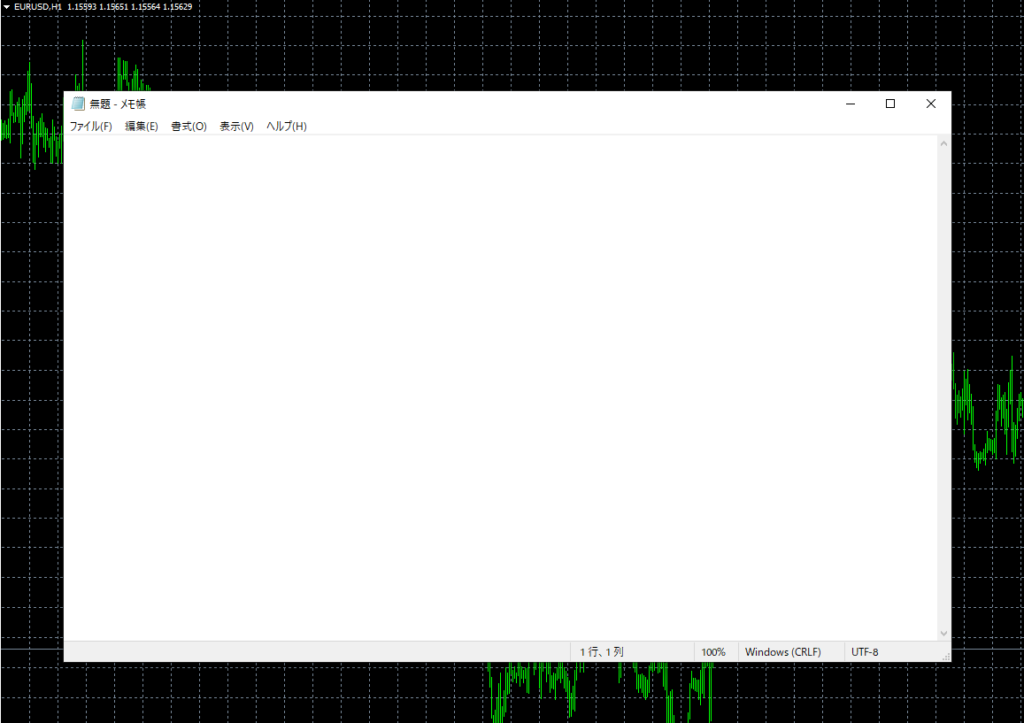
メモ帳を起動してみる
#import "shell32.dll"
int ShellExecuteW(int hWnd,string lpVerb,string lpFile,string lpParameters,string lpDirectory,int nCmdShow);
#import

int OnInit(){

   ShellExecuteW(0, "open", "notepad.exe", "", "", 1);
   return(INIT_SUCCEEDED);
}まずはshell32.dllからShellExecuteW()関数をインポートします。
ShellExecuteW()関数の第3引数にアプリケーション名.exeを与えると、任意のアプリケーションを起動することが出来ます。
今回は「notepad.exe」を指定して、インジケータ(EA)を挿入すると自動でメモ帳起動するようにしています。
フォルダを起動してみる
#import "shell32.dll"
int ShellExecuteW(int hWnd,string lpVerb,string lpFile,string lpParameters,string lpDirectory,int nCmdShow);
#import

int OnInit(){

   ShellExecuteW(0, "open", "TerminalInfoString(TERMINAL_DATA_PATH) + "\\MQL4\\Indicators", "", "", 1);
   return(INIT_SUCCEEDED);
}
第3引数にフォルダのフルパスを指定すると、任意のフォルダを開くこともできます。
例えばサンプルコードでは[Indicators]フォルダが自動で開かれます。
“C://Users//name//desktop”と指定すればデスクトップフォルダを開きます。
応用編 スクショ後に保存先フォルダを自動で開く
チャート上設置したスクリーンショットボタンをクリックすると、現在のチャートをスクリーンショットボタンし、画像の保存先フォルダを自動で開きます。
#property copyright "Codinal Systems"
#property link      "https://codinal-systems.com/"
#property version   "1.00"
#property strict
#property indicator_chart_window


#import "shell32.dll"
int ShellExecuteW(int hWnd,string lpVerb,string lpFile,string lpParameters,string lpDirectory,int nCmdShow);
#import

int OnInit(){

   //スクリーンショットボタンを設置
   string objName = "sample-button";
   ObjectCreate(0, objName, OBJ_BUTTON, 0, 0, 0);
   ObjectSetInteger(0,objName, OBJPROP_XSIZE, 120);
   ObjectSetInteger(0,objName, OBJPROP_YSIZE, 50);
   ObjectSetInteger(0,objName, OBJPROP_XDISTANCE, 10);
   ObjectSetInteger(0,objName, OBJPROP_YDISTANCE, 20);
   ObjectSetInteger(0,objName, OBJPROP_FONTSIZE, 12);
   ObjectSetInteger(0,objName, OBJPROP_COLOR, clrBlack);
   ObjectSetString(0, objName, OBJPROP_FONT, "Meiryo UI");
   ObjectSetString(0, objName, OBJPROP_TEXT, "スクリーンショット");

   return(INIT_SUCCEEDED);
}


void OnChartEvent(const int id,
                  const long &lparam;,
                  const double &dparam;,
                  const string &sparam;)
{

   if (id == CHARTEVENT_OBJECT_CLICK){
      string clickObj = sparam;
      //ボタンクリックを検知
      if (clickObj == "sample-button"){
         //スクリーンショットを撮る
         WindowScreenShot("sample.gif", 1080, 720, 0, 5, CHART_CANDLES);

         //スクショの保存先を開く
         string dir = TerminalInfoString(TERMINAL_DATA_PATH) + "\\MQL4\\Files";
         ShellExecuteW(0, "open", dir, "", "", 1);

         //ボタンの状態を戻す
         ObjectSetInteger(0, clickObj, OBJPROP_STATE, false);
      }
   }
}


int OnCalculate(const int rates_total,
                const int prev_calculated,
                const datetime &time;[],
                const double &open;[],
                const double &high;[],
                const double &low;[],
                const double &close;[],
                const long &tick;_volume[],
                const long &volume;[],
                const int &spread;[])
{
   return(rates_total);
}WindowScreenShot()関数でのスクリーンショットは[Files]フォルダに保存されます。
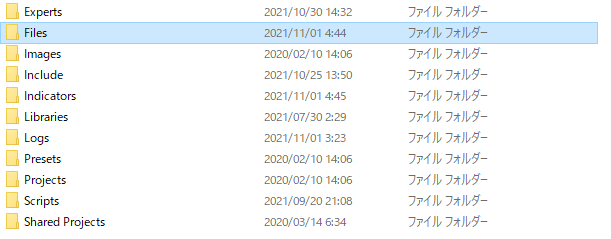
TerminalInfoString(TERMINAL_DATA_PATH) + "\\MQL4\\Files"上記コードが[Files]フォルダのフルパスになりますので、ShellExecuteW()関数に指定するとスクショが保存されたフォルダを開くことができます。